 Automated Data Loader (ADL)
Manage Data Parameters
Overview
Data parameters define the types of observations your weather stations collect. Before ADL can store or process station data, it needs to know what measurements to expect - temperature, rainfall, wind speed, humidity, etc.
Each data parameter includes:
Name and description: What the parameter measures
Unit information: For data conversion and standardization
Metadata: Additional context for the observation type
Why define parameters upfront? When plugins fetch data from your stations, they map the incoming observations to these predefined parameters. This ensures:
Consistent data structure across different station types
Proper unit conversions when stations report in different units
Accurate data validation and quality control

To help you get started, the system provides a way to quickly load data parameters from a small predefined list of core meteorological parameters. This option is only provided when no data parameters have been added to the system.

You can add or edit data parameters as below:

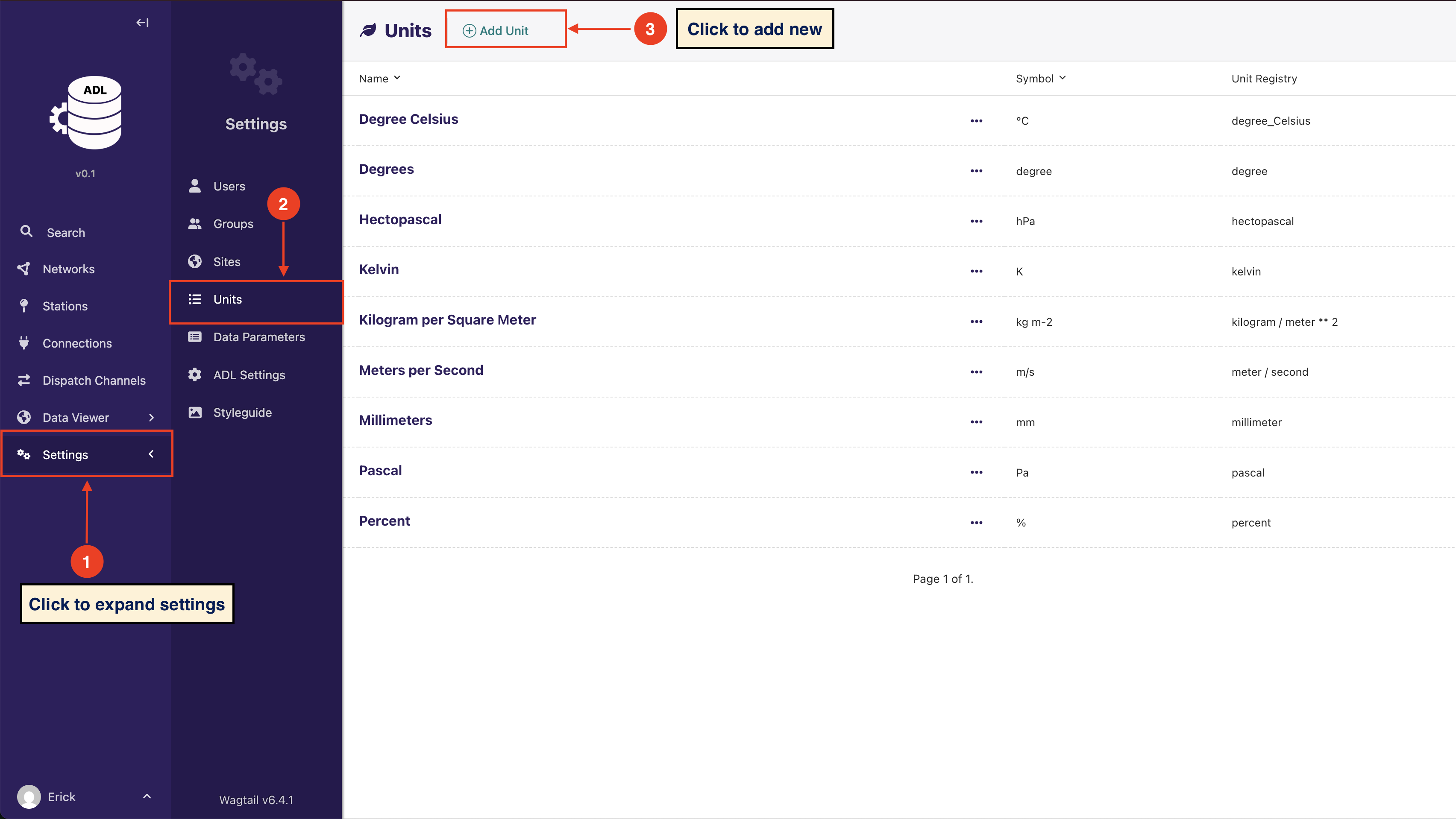
A Data Parameter must be associated with a unit. The system provides a form to add and edit units